Main Menu > Edit Menu > Settings
Settings - Display
The Display Settings window contains the following fields and options:
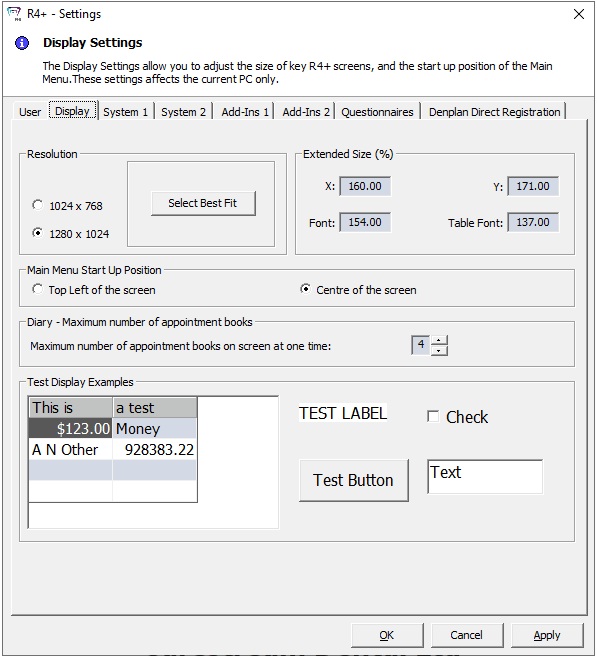
Resolution
Two resolutions are listed, enabling you to pick the option that best suits your monitor. Alternatively, you can click Select Best Fit, which selects the best option based on your current screen resolution.
Extended Size (%)
The values displayed here are determined by the resolution that has been selected. You cannot change these values manually.
Main Menu Start Up Position
-
Top Left of the screen — Select this option if you want R4+ to open in the upper-left of the screen.
-
Centre of the screen — Select this option if you want R4+ to open in the centre of the screen.
Diary — Maximum number of appointment books
-
Maximum number of appointment books on screen at one time — Select the maximum number of appointment books that are displayed on the screen at any one time.
Test Display Examples
Examples of how text is displayed in R4+ based on the resolution are shown.
-
These settings apply only to the logged-in user.