Main Menu > Edit Menu > Settings
Settings - Denplan Direct Registration
The Denplan Registration Settings window contains the following fields and options:
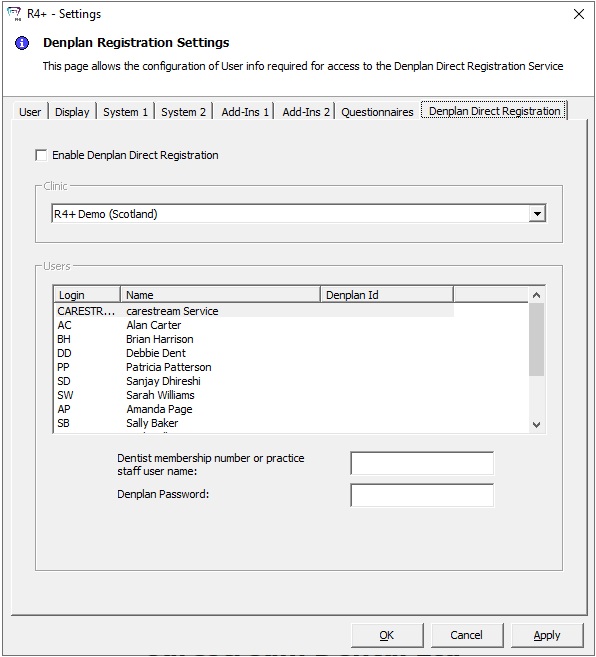
Enable Denplan Direct Registration — Select this option to provide registration for Denplan.
Clinic — Select the clinic from the drop-down list.
Users — The user Login, Name, and Denplan Id are displayed. Enter the Dentist membership number or the practice staff user name and the Denplan Password in the fields.