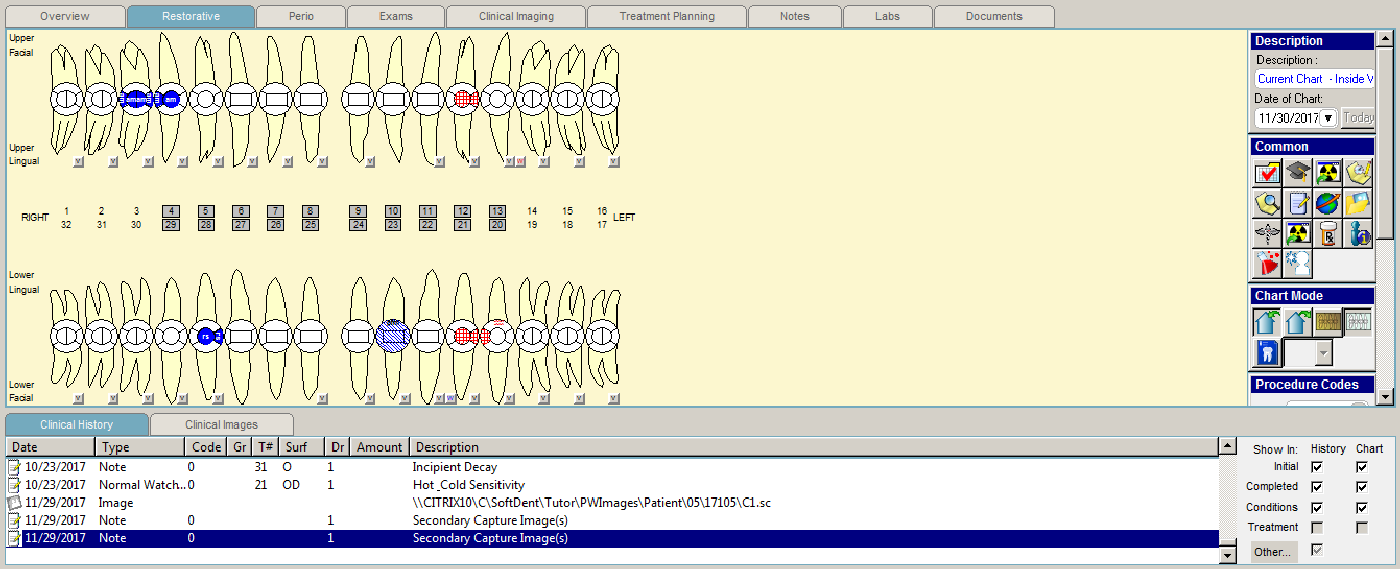
Click the Restorative tab, and the Restorative tab window is displayed.
In addition to the Common toolbar,
these toolbars are displayed on the Restorative
tab:
Chart Mode
Procedure Codes
Conditions
Mobility
To display or hide a toolbar:
Right-click on any icon on a toolbar, and a shortcut menu is displayed.
Select Show/Hide Toolbars and select the toolbar to show or hide. A check indicates a toolbar that is currently shown.