Using Sensei Cloud Oral Surgery
Recording the Post-Op Evaluation
To record the patient's post-op evaluation data:
-
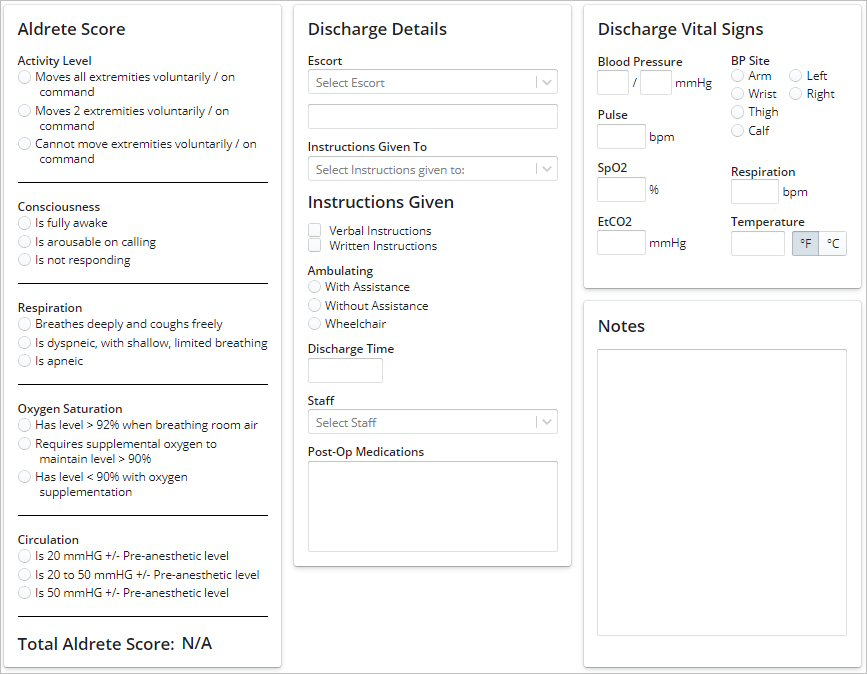
On the Anesthesia Record, click the Post-Op Evaluation tab. The data fields are displayed.
-
Use these fields to record the patient's post-op score and discharge details and vital signs.
-
Click Update Record.
Using the EMR Clinical Interface
Using Clinical Notes Templates
Tracking Implants in the Clinical Chart (EMR)
Recording the Pre-Op Evaluation
Recording Vital Signs Using a Connected Monitor
Understanding Sensei Cloud Medical Billing