Adding Providers
To add providers for your practice:
-
Log in to SoftDent using your credentials.
-
Select List > Providers. The Provider List window is displayed.
-
Press Tab on the keyboard to access the buttons at the top of the window.
-
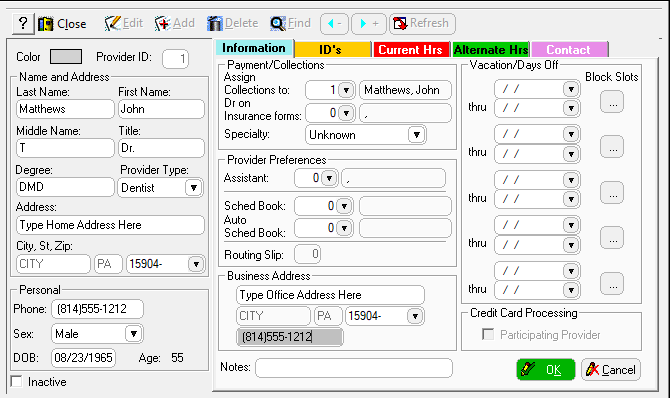
Click Add. The Add Provider window is displayed.
-
Enter information in the following fields:
-
Last Name
-
First Name
-
Provider Type
-
Address
-
Phone
-
Assign Collections to Dr on Insurance forms
-
Specialty
-
Provider Preferences
-
Click OK.