Setting Up Current Hours
To set up hours for a provider:
-
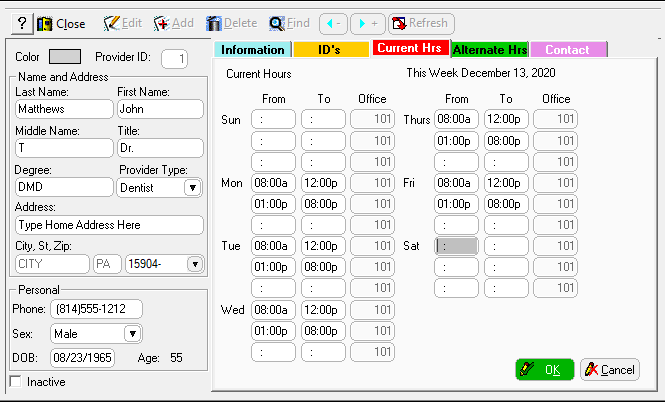
In the Add Provider window, click the Current Hrs tab.
-
Enter the hours in the From and To fields for each day.
-
Click OK.
To set up hours for a provider:
In the Add Provider window, click the Current Hrs tab.
Enter the hours in the From and To fields for each day.
Click OK.