Adding Provider IDs
To add IDs:
-
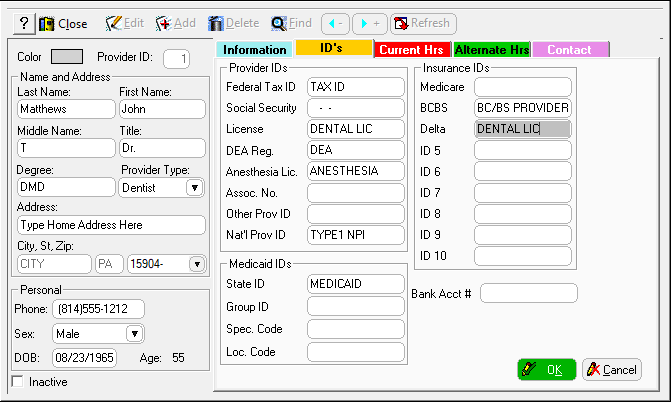
In the Add Provider window, click the ID’s tab.
-
Enter information in the fields in the following sections:
-
Provider IDs
-
Medicaid IDs
-
Insurance IDs
-
Click OK.
To add IDs:
In the Add Provider window, click the ID’s tab.
Enter information in the fields in the following sections:
Provider IDs
Medicaid IDs
Insurance IDs
Click OK.