On the Charges
tab of the Charge Entry window,
click  next to the Bill To field.
The Policies to Bill window
is displayed.
next to the Bill To field.
The Policies to Bill window
is displayed.
Posting Charges and Payments > Posting Charges
Insurance coverage for each charge defaults from the insurance coverage entered for the patient. However, you can modify the insurance coverage for a particular charge.
To edit the insurance coverage for a charge:
On the Charges
tab of the Charge Entry window,
click
next to the Bill To field.
The Policies to Bill window
is displayed.
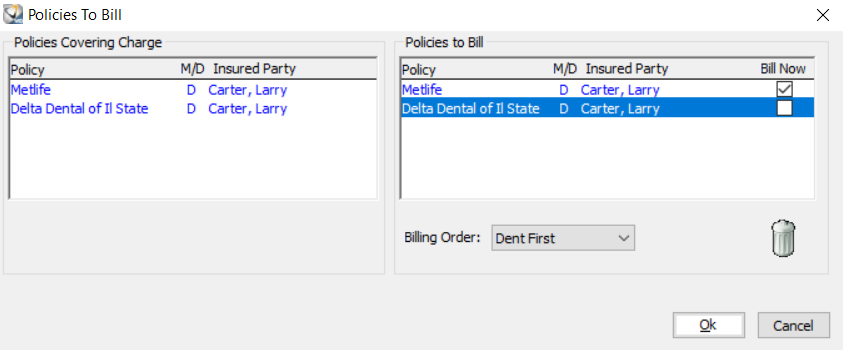
To delete a policy record, click-and-drag the record to the trash can.
To change the billing order, make a selection from the Billing Order list.
To modify how a policy is billed, select or deselect the Bill Now checkbox.
Click Ok.