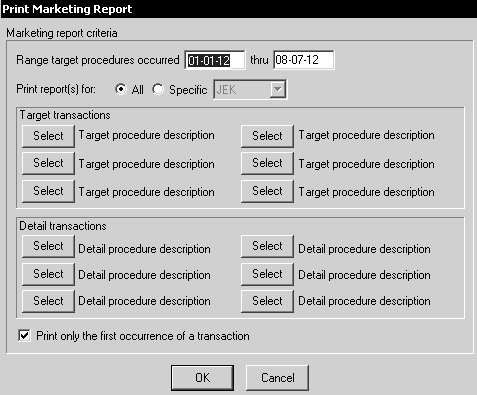
The Marketing report lists patients who have had one or more specific procedures performed during a defined period of time. It can be used to find patients that have had a specific procedure, but have had no follow-up procedure. The report includes responsible party, employer, insurance, and account information.
To generate the report:
Select File > Print > Other/Misc Reports > Marketing report. The Print Marketing Report window is displayed.
In the Range target procedures occurred fields, type the date range for the report.
Select whether the report is for production owners or for a specific production owner.
Select one or more procedures that are the target for this report by clicking Select. The Transaction Code Pick List window is displayed. Select a transaction, and click OK twice.
Multi-Doctor Cross-Settlement Report