Open a patient’s chart. Patient information is displayed.
Click the Charting
 button.
Select Edit Charting. The Charting window is displayed, with the Tx Card tab open.
The OrthoTrac Charting module is an electronic chart containing treatment plans, treatment history information, and questionnaires for each patient. When combined with orthodontic imaging software, the patient’s entire chart is available at chairside.
Using the Charting module, you can:
Enter or edit any part of today’s treatment history.
Store and display information about medical alerts, progress reviews, and the next appointment for a patient.
Print treatment card reports.
You can set predefined views within Charting that can apply to all workstations or an individual workstation. You can also use the classic view, if you prefer the original look of the treatment card.
To access a patient’s treatment card:
Open a patient’s chart. Patient information is displayed.
Click the Charting
button.
Select Edit Charting. The Charting window is displayed, with the Tx Card tab open.
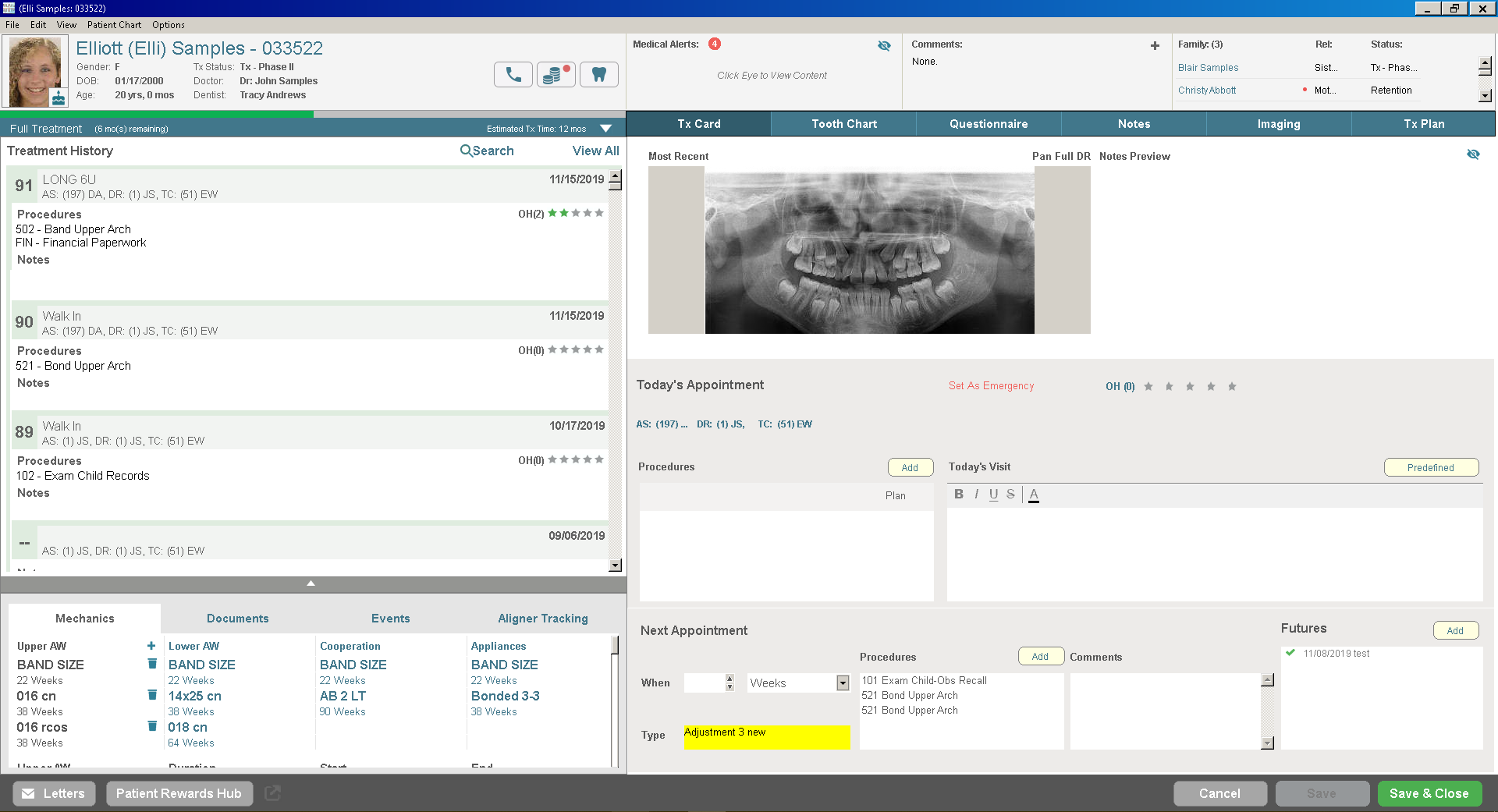
When the Charting module is open for a patient, an i icon is displayed on the ToothChart, TxPlan, Questionnaire, or Notes tabs if the tab contains patient information.