Software Overview > Acquisition Interface
2D Quality Control Interface Overview for the Dental Environment
The panoramic Quality Control interface allows you to check the quality of an acquired image (for example, position of the patient, image centering) to enable you to accept or reject the image.
 |
IMPORTANT: The displayed image is for information purposes only. DO NOT use it for diagnostic purposes. |
Figure 8 - Panoramic Quality Control Interface
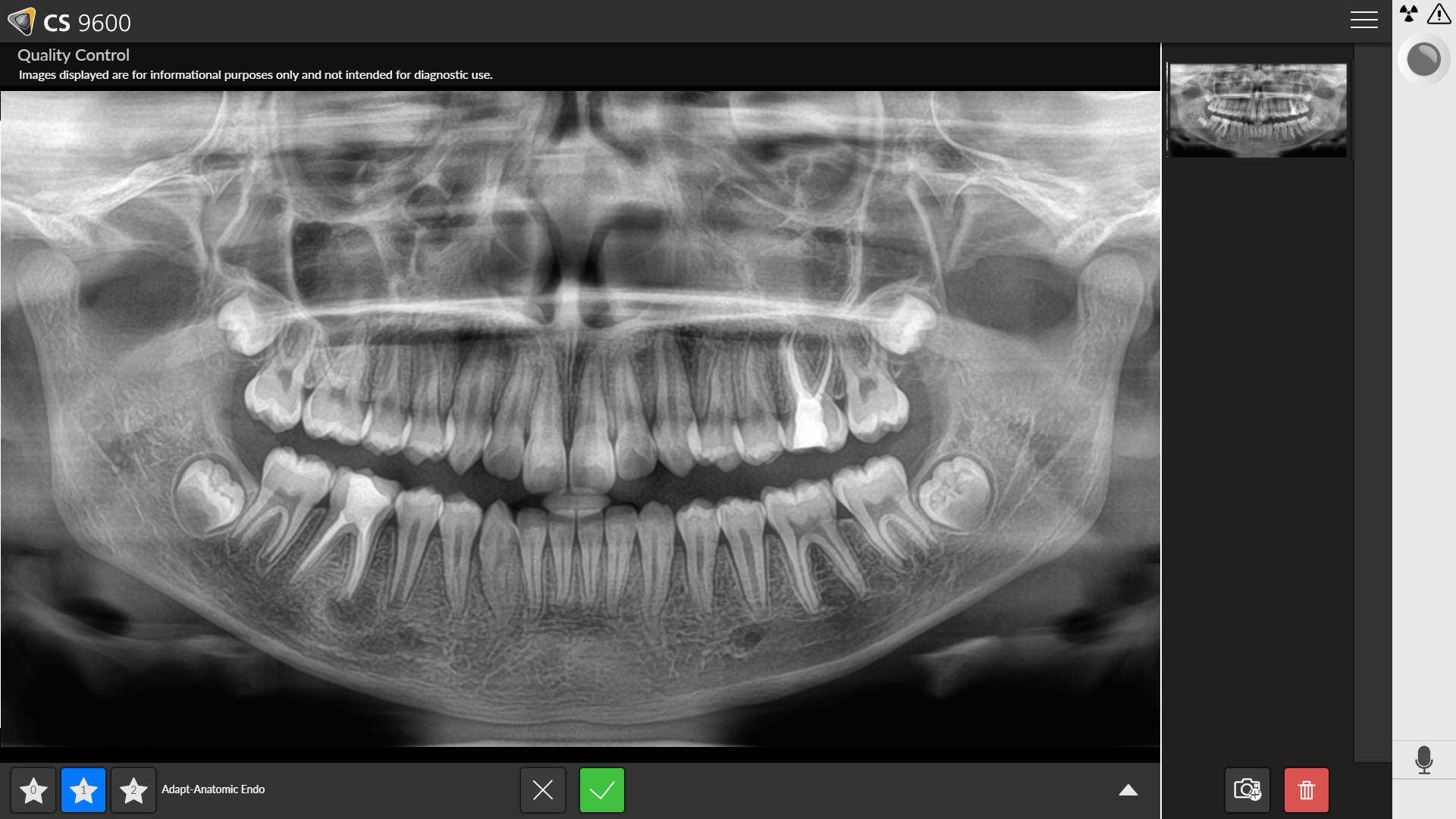
|
1 |
If you are satisfied with an acquired image, click |
|
2 |
If you are not satisfied with an acquired image, click
Select one of the displayed reasons, or enter other reasons in the text field.
|
 . The image transfers automatically to the
  . The following window displays: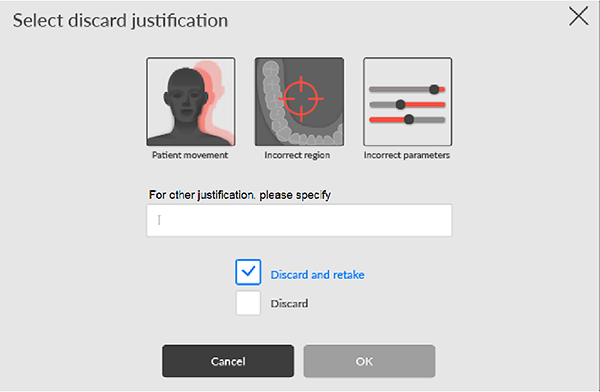
Panoramic Acquisition Interface Overview
3D Acquisition Interface Overview
3D Quality Control Interface Overview for the Dental Environment
DICOM Worklist Interface Overview
2D Quality Control Interface Overview for the DICOM Environment
3D Quality Control Interface Overview for the DICOM Environment