Setting Up Practice Information
To set up practice information:
-
Log in to SoftDent using your credentials.
-
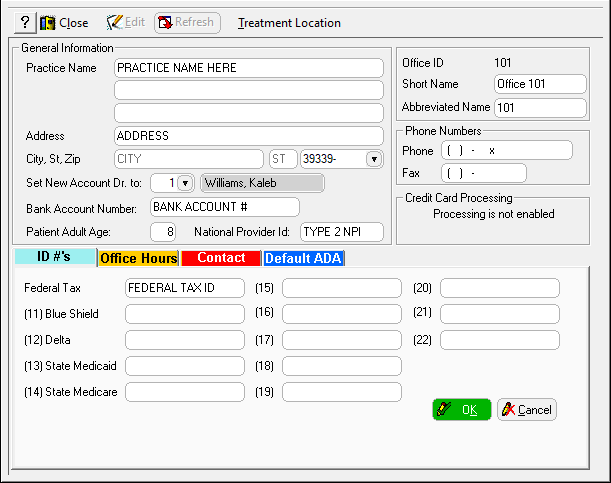
Select File > Practice. The Practice Information window is displayed.
-
Enter information in the Practice Name, Address, and Phone Numbers fields.
-
If you want your bank account number to print on deposit slips, enter it in the Bank Account Number field.
-
Enter a number in the Patient Adult Age field. Patients this age and older are shown with permanent dentition in the Charting module.
-
If you have a Type 2 NPI number (practice number), enter the number in the National Provider ID field.
-
On the ID #’s tab, enter the appropriate numbers for the practice. If your providers submit under individual Tax ID numbers, leave these fields blank.
-
Click OK.