Setting Up Medical Conditions and Referring Doctors
Adding Referring Doctors
To add referring doctors:
-
Select List > Referring Dr.
-
Press Tab on the keyboard to access all the features in the window.
-
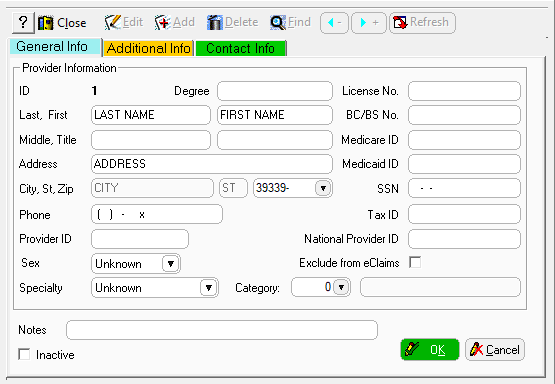
Click Add. The Add Referring Doctor window is displayed.
-
Enter information in the fields.
-
If you do not have the information, you can leave a field blank.
-
Click OK.
-
Add additional referring doctors, as necessary, and then click Close.