Adding Holiday Hours
To add holiday hours:
-
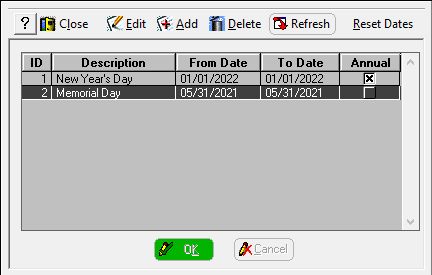
Select Scheduler > Holidays. The Holiday window is displayed.
-
Click Add.
-
In the Description field, type a name for the holiday; for example, Thanksgiving.
-
In the From Date and To Date fields, enter the days. For a one-day holiday, use the same date for both fields.
-
If the holiday falls on the same date each year, check the Annual option; for example, New Year’s Day.
-
Click OK.
-
Add additional holidays, as necessary, and then click Close.