Setting the Acquisition Parameters for 3D Teeth Images
To set the acquisition parameters, follow these steps:
-
Click
 as the program and the required FoV (4x4, 5x5, 5x8).
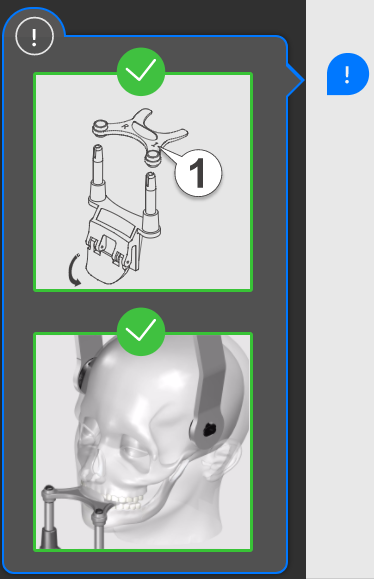
When you select a FoV,  will display a pop-up illustration to show the positioning accessory that you must use and how to position the patient's head. The pop-up will remain for three seconds. Click if you need to see it again. Click again to hide the pop-up.
-
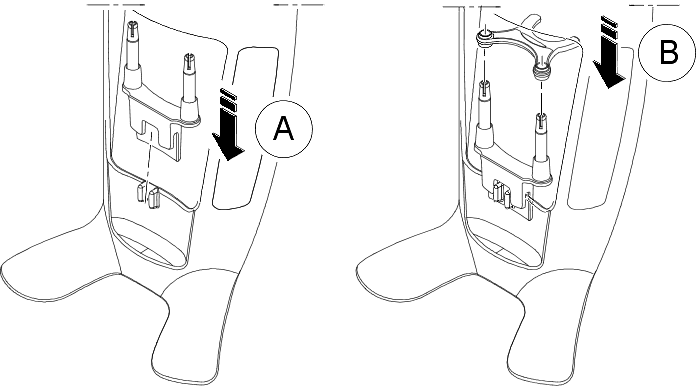
Fit the 3D bite block support (A), and insert the appropriate 3D bite block (B). Make sure that you click the bite block well into place.

IMPORTANT: Use the 3D child bite block for a pediatric patient.
- If you are using a 3rd molar offset 3D bite block, insert the offset bite block (B) for a right-molar (Mr) or left-molar (Ml) acquisition as required:
|
IMPORTANT: The 3rd Molar offset 3D bite block is for use with 5x5, 4x4, and 5x8 Ml and Mr FoVs only. |
- To acquire an image of the left-side 3rd molar, insert the offset bite block so that the part indicated Ml will be placed in the corresponding position in the patient’s mouth.
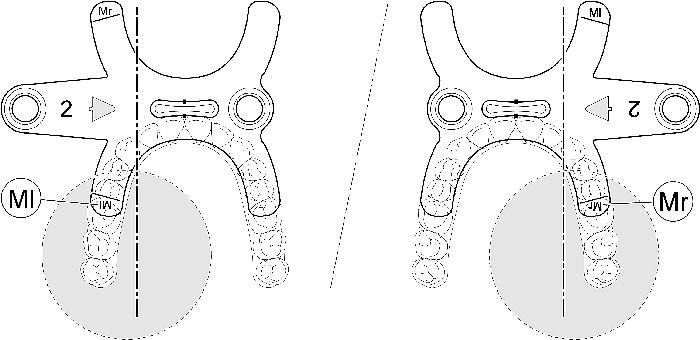
- To acquire an image of the right-side 3rd molar, insert the offset bite block so that the part indicated Mr will be placed in the corresponding position inside the patient’s mouth.
-
Remove the paper backing from the hygienic barrier (C), and cover the bite block with the hygienic barrier (D). Make sure that you cover the bite block completely with the hygienic barrier (E).
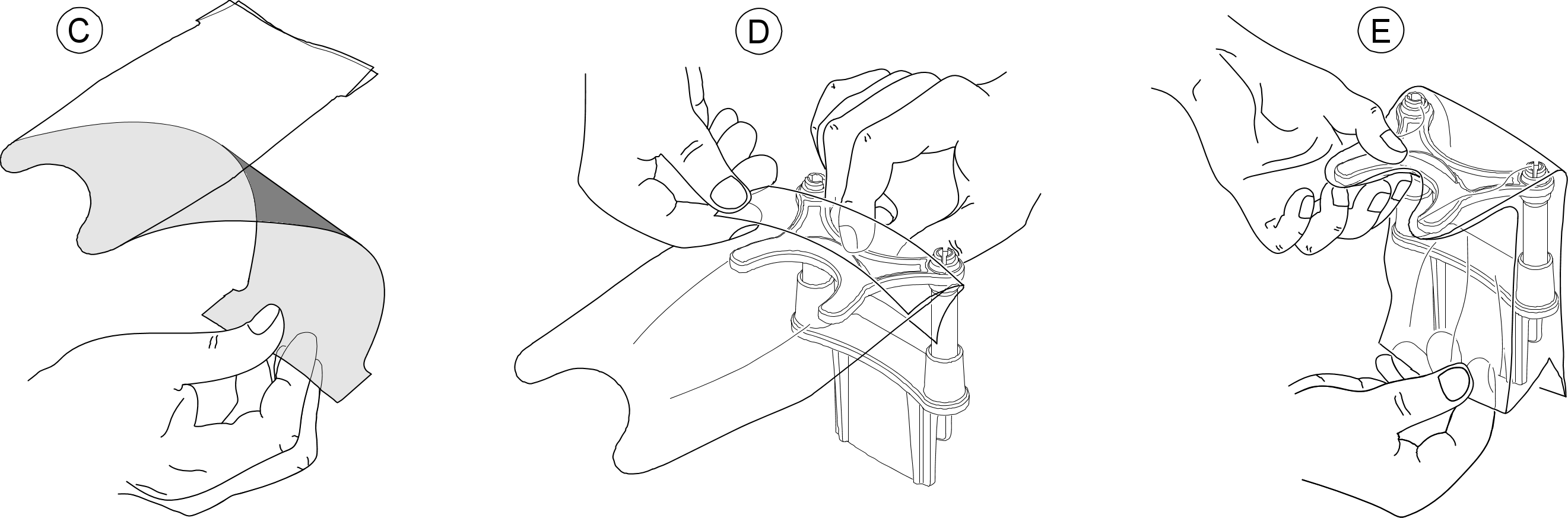
|
IMPORTANT: You must cover the bite blocks with FDA-cleared protective sheaths that are available from distributors. |
-
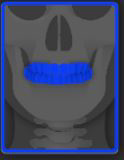
Select the area of interest that you intend to examine by clicking the alphabetical labels:
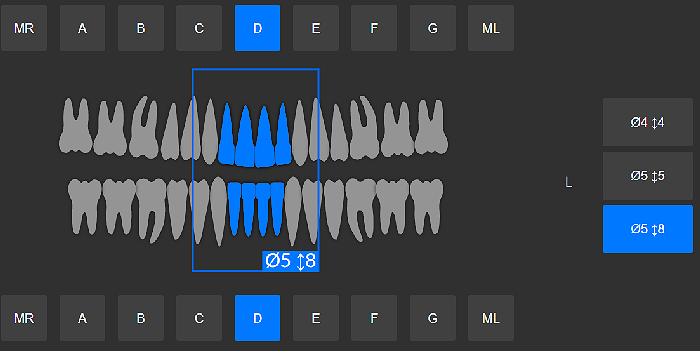
 |
Note: The area of interest that you select will turn blue. |
-
In the 3D Acquisition interface, select the patient type:
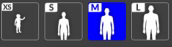
- Child
- Adult: Small, Medium, Large
|
IMPORTANT: See the CS 8200 3D Family Safety, Regulatory, and Technical Specifications User Guide (SMA67) for information on radiation protection and recommendations when you select a patient type, especially the pediatric patient. |
-
If the default parameter setting is not adapted to your patient type, click
 on the parameter display panel to open it and to select the appropriate parameters. To save the new parameter settings, click
  .
.