Setting the Acquisition Parameters for Sinus Images
To set the acquisition parameters, follow these steps:
-
In the Panoramic Acquisition interface, select the:
-
Patient type:
-
Child
-
Adult: Small, Medium, Large

IMPORTANT: See the CS 8200 3D Family Safety, Regulatory, and Technical Specifications User Guide (SMA67) for information on radiation protection and recommendations when you select a patient type, especially the pediatric patient.
-
-
-
Click
 for sinus acquisition.
The area of interest is selected by default: 
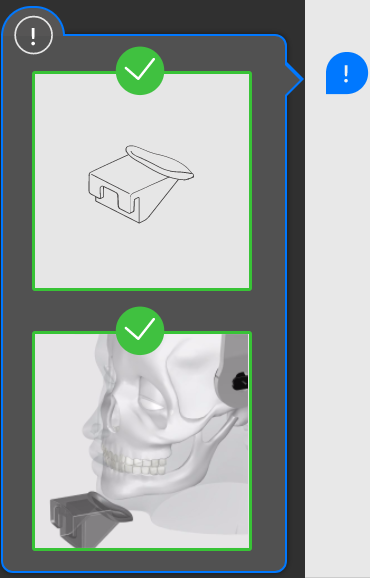
When you select the area of interest,  will display a pop-up illustration to show the positioning accessory that you must use and how to position the patient's head. The pop-up will remain for three seconds. Click if you need to see it again. Click again to hide the pop-up.
 |
Note: Use the sinus chin rest for a sinus image acquisition. |